
Open the Bridge panel
Tap Bridge in the wallet's main navigation. The panel shows your Core Space CFX balance and your eSpace CFX balance side by side.
Conflux Wallet bridges Core and eSpace in-wallet. No separate dApp, no manual switch.
Protocol-level CrossSpaceCall · One signature · No third-party bridge
Conflux Wallet's bridge moves CFX between Conflux Core Space and Conflux eSpace from inside the wallet. The bridge is implemented using Conflux's protocol-level CrossSpaceCall mechanism — not a third-party bridge service like ShuttleFlow or external cross-chain protocols. Moving CFX requires one signature; the wallet builds the transaction, estimates gas correctly for both spaces, and routes the call through the protocol's internal cross-space contract. Don't have the wallet yet? Download Conflux Wallet.
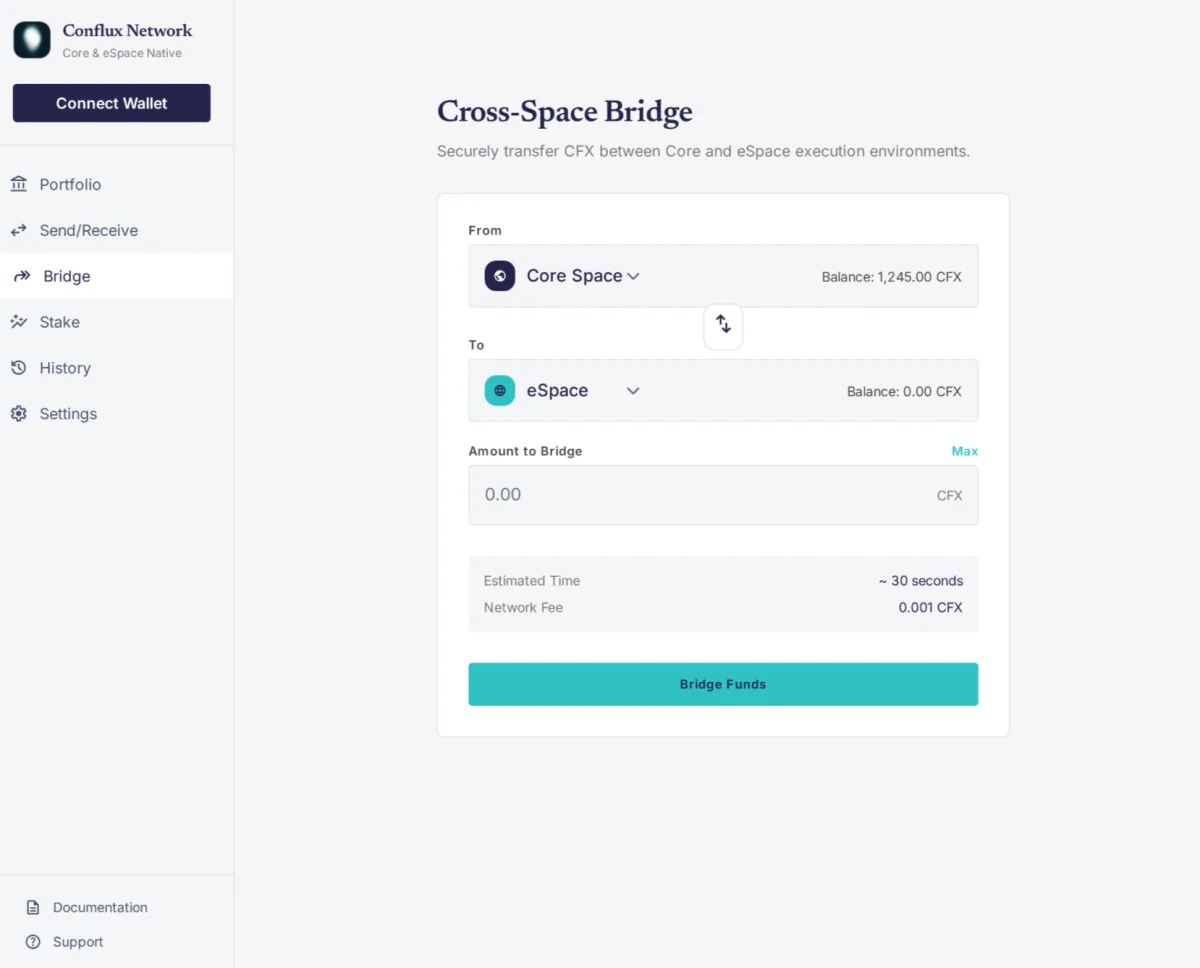
Tap Bridge in the wallet's main navigation. The panel shows your Core Space CFX balance and your eSpace CFX balance side by side.
Toggle Core → eSpace or eSpace → Core. The wallet displays the gas estimate for the chosen direction.
Specify how much CFX to move. The wallet validates against your balance and reserves enough CFX to cover gas.
Sign once. The wallet sends a CrossSpaceCall transaction. Confirmation typically takes one block (a few seconds).
After confirmation, the moved amount appears in the destination space immediately. Both balances update in the Bridge panel.
Without an in-wallet bridge, moving CFX between Core and eSpace requires:
Conflux Wallet replaces the eight-step flow with: open Bridge → choose direction → enter amount → sign once → done. The result is the same, the mechanism is the same, the user experience is shorter.
For cross-chain bridges (Conflux ↔ Ethereum, BSC, Solana), Conflux Wallet integrates external bridge providers (Meson, Celer, Stargate, Orbiter) — those are external services, with their own fees and confirmation times. The native Core ↔ eSpace bridge described above is protocol-level only.
The bridge transaction costs CFX gas — typically a small fraction of a CFX (sub-cent in USD terms at current prices). Bridge transactions confirm within one Conflux block, which is roughly 0.5-1 second of wall-clock time depending on network conditions. The destination balance is available the moment the transaction confirms.